hivtools-mcp




API and MCP server for hivtools data
Adding MCP server to Claude
- Go to Claude and log in
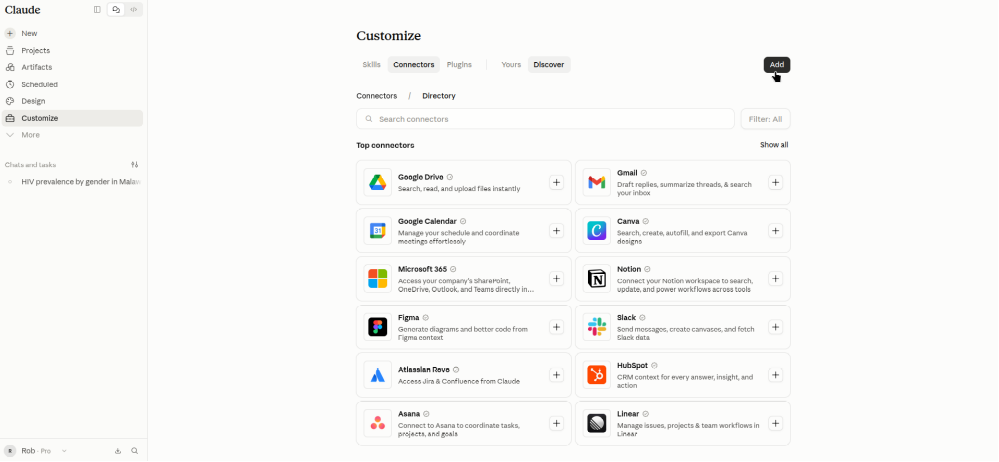
- Click on "Customize" on the left-hand side
-
Select "Connectors" and click "Add"
-
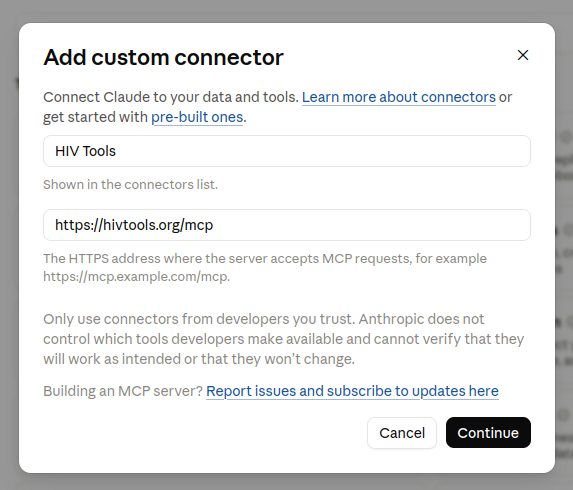
Set the "Name" to "HIV Tools" and the "MCP server URL" to "https://hivtools.org/mcp" and click "Continue"
-
Under "Authentication" set it to "No sign-in". You can ignore the warning that is raised.
-
Add a "Request header" with key "authorization" and value given to you by Rob or Rachel. Ensure the token contains the scheme e.g. "Bearer
" and ensure "Required" button is selected. Scroll to the bottom and click "Add". 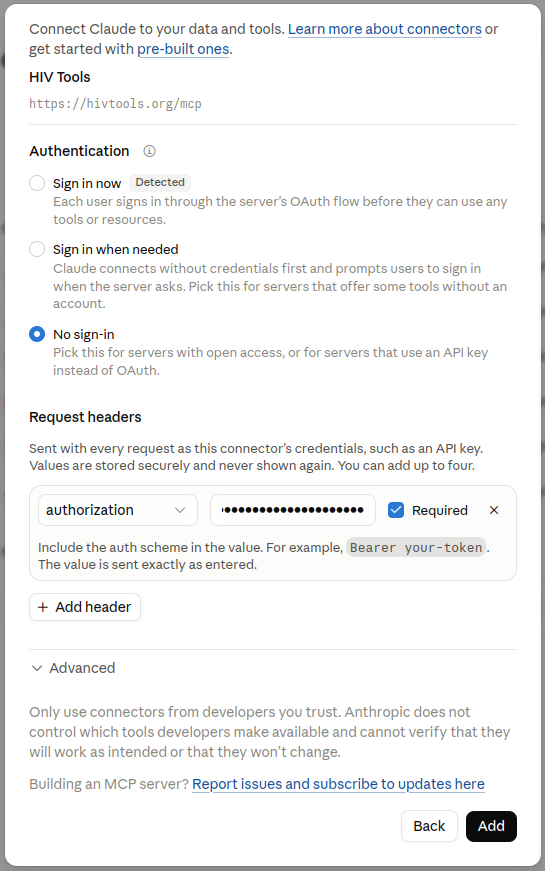
-
Click "Connect"
- You should see a list of tools "Get HIV Data" and "Search HIV Metadata". Give your AI approval to use these tools by changing the drop-down from "Needs approval" to "Always allow".
- You can now start a chat and use the tools